

If you would like to play the new version, V3.1, you will need an activated “OAX V3.0 incl. WERSI Vision” expansion pack. If you have not yet activated the pack, please contact your WERSI dealer or info@wersi.net directly..

A Quick Start to the World of the WERSI OAX System
With version V3.1, the new Easy Play Mode offers a particularly simple and convenient way to get started with the OAX system.
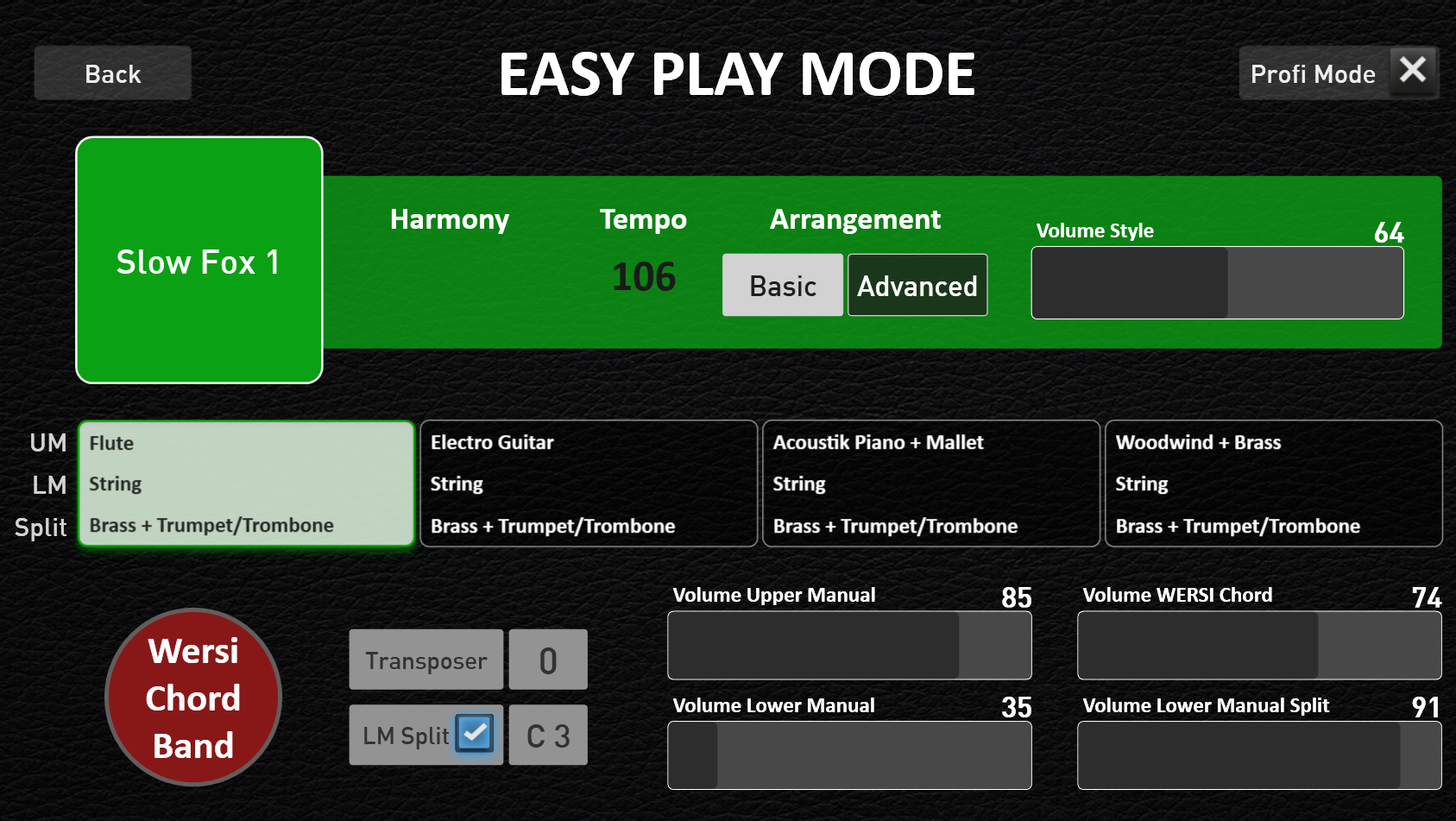
In just two steps, you can select the desired backing track and four matching sound combinations for the manuals.
First, choose a music genre—such as pop, ballad, swing, or ballroom—and then select the appropriate backing track, such as ballad, swing, or beat.
Then the music can begin: Everything is preset, so you can focus entirely on making music.
A special feature: For each sound combination, a coordinated WERSI Chord Band with matching timbres is preloaded. To use this, the Wersi Chord Band expansion pack must be activated.
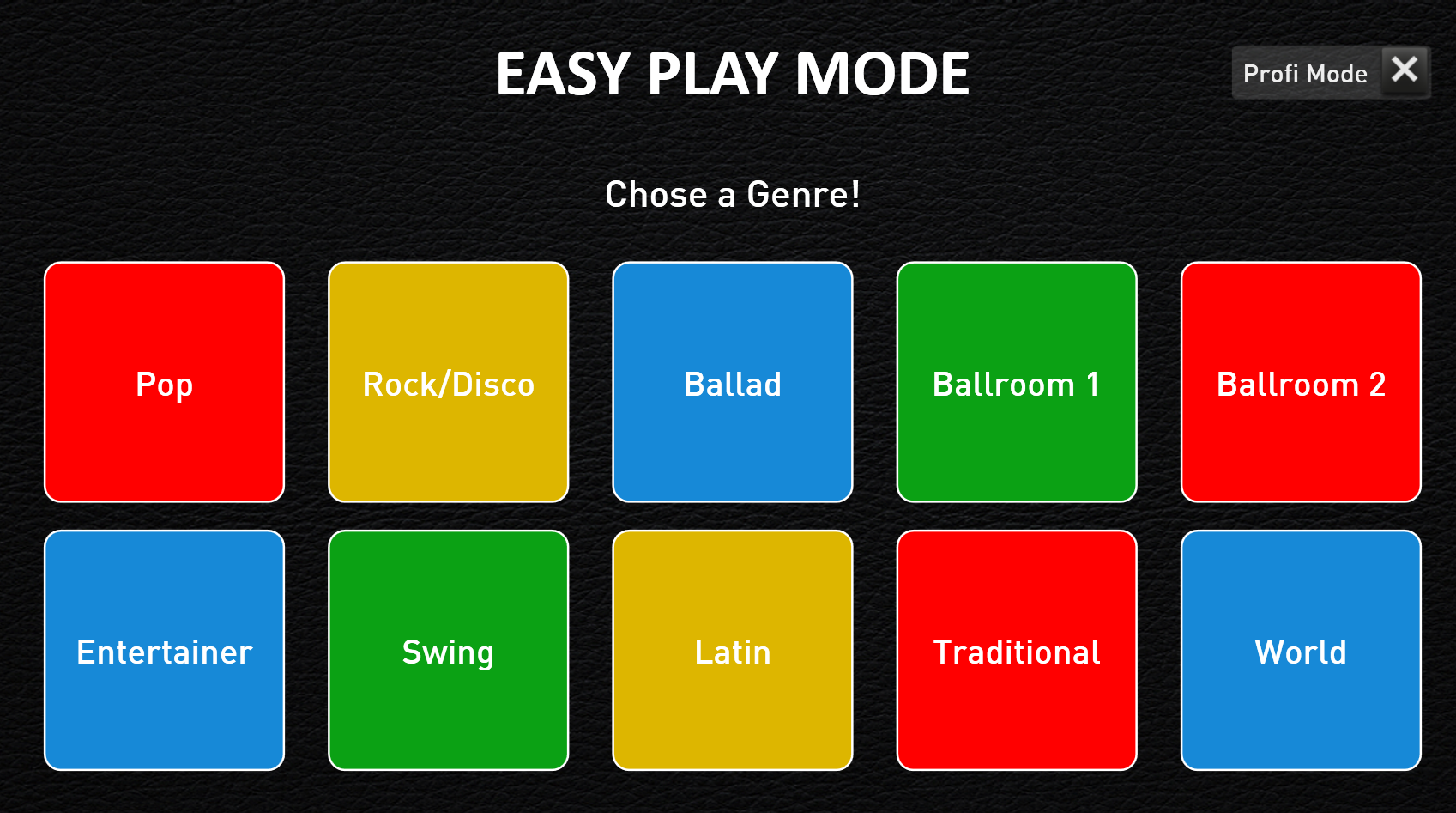
The 10 Music Genres.
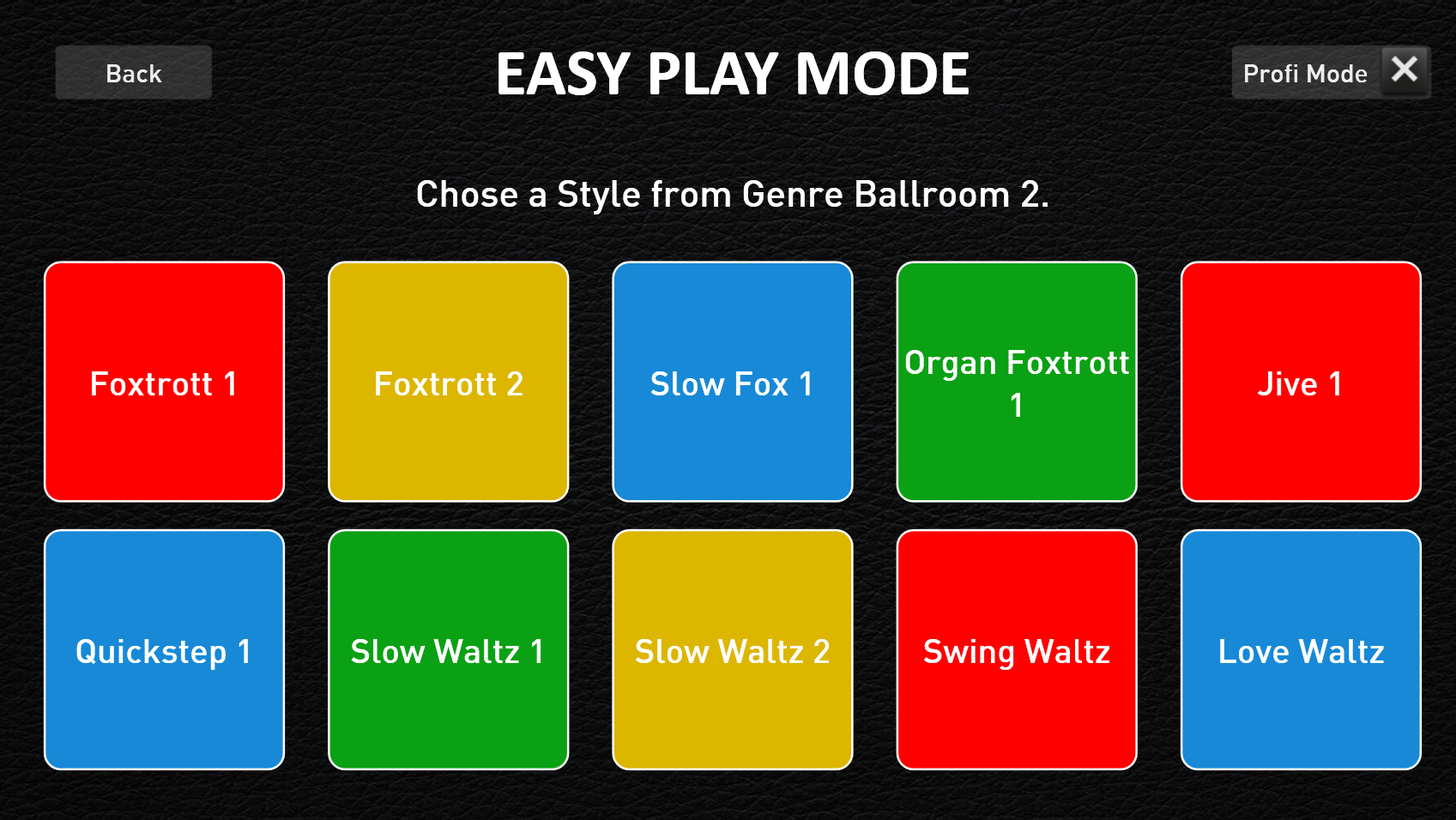
The 10 styles as examples from the Ballroom 2 genre.
Factory Styles with Matching WERSI Chord Band Presets
For the 400 existing factory styles, all 1,600 STS presets have been resaved and supplemented with matching WERSI Chord Band presets.
This requires activation of the WERSI Chord Band expansion.
New WERSI Chord Band Preset
The WERSI Chord Band presets have been expanded by 29 presets. This means you now have access to 129 WERSI Chord Band presets to fine-tune your Total Preset.
This requires activation of the WERSI Chord Band extension.